A GPS tracking system should adapt to the physical installation in each vehicle and protect access to its information. This ALTAGAMA GPS update lets customers reorganize digital inputs so sensors appear in the order required by the operation, adds Google sign-in, strengthens password changes, and expands compatibility with LBS/4G messages from GT06 trackers.
The improvements address different but related needs: correctly interpreting field-installed signals, giving authorized users a convenient access method, responding to a potentially compromised credential, and receiving more types of locations from compatible devices.
Remap digital sensors on GPS trackers
Trackers can have several digital inputs for ignition, doors, buttons, accessories, or other states. The numbering sent by the device does not always match the order a company wants to use in ALTAGAMA GPS.
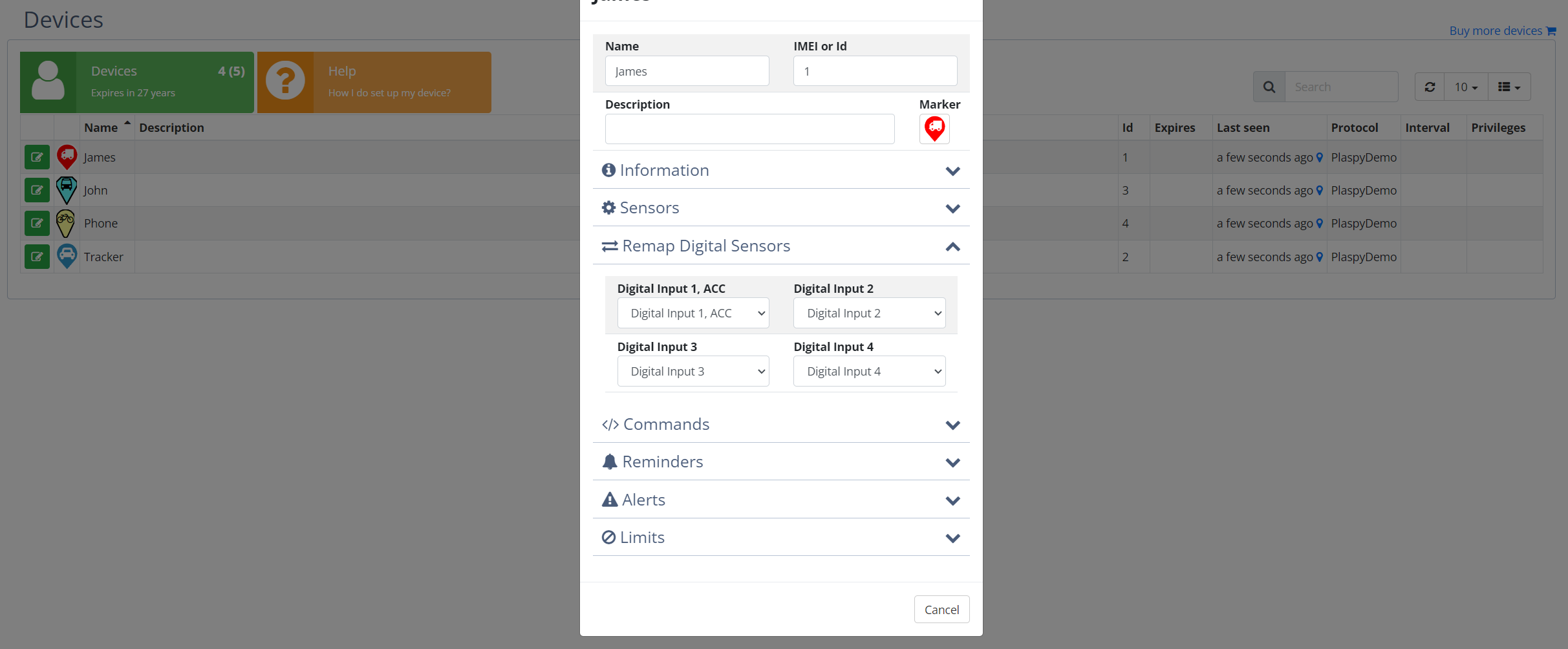
Digital inputs 1, 2, 3, and 4 can now be remapped. For example, a signal received as Sensor 3 can be presented as Sensor 1 while another input occupies the corresponding place. This aligns the display with installation documentation and operating conventions.
Remapping changes the logical sensor relationship. It does not modify wiring or create a signal the tracker does not transmit. Before saving the change, an installer should identify the physical input used by each accessory and test its active and inactive states.
Visual sensor remapping settings
The original image shows the options used to change input relationships for a device.
How input customization helps
- Standardized installations: present ignition, a door, or a button under the same logical number in vehicles with different wiring.
- Tracker migrations: preserve an operating convention when a replacement device reports inputs in another order.
- Technical support: help operators and installers refer to the same sensor during troubleshooting.
- Alerts and queries: interpret the state under the selected input according to saved device settings.
- Fleet growth: reduce inconsistencies when vehicles are added by different installation teams.
Best practices for remapping sensors
Make the change while the vehicle is available for testing. Activate each signal separately, confirm which input reaches ALTAGAMA GPS, and document the final relationship. If a door is assigned to Sensor 2, its name, alerts, and team procedures should use the same reference.
After changing the order, review automations and alerts that depend on digital inputs. An incorrect mapping can make users interpret a valid state as if it belonged to a different accessory.
The number and behavior of inputs depend on tracker model, protocol, installation, and configuration. Not every device provides four usable signals.
Sign in to ALTAGAMA GPS with a Google account
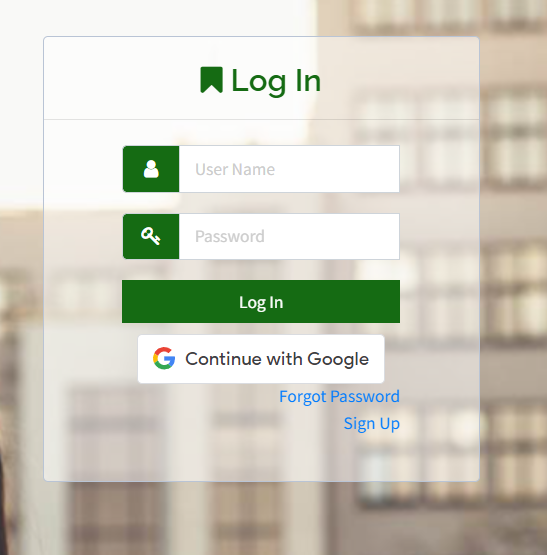
We introduced the option to sign in with Google. Users can select this method on the access screen and authenticate the Google account associated with their ALTAGAMA GPS user.
This flow reduces the need to enter the ALTAGAMA GPS password directly on every visit and lets customers benefit from security measures configured on the Google account. It also simplifies access for teams that already use managed corporate accounts through that service.
External sign-in does not change ALTAGAMA GPS permissions. After identifying the user, the platform continues to apply the rules that determine which devices, groups, and functions that person can access.
Google sign-in view
The following original screenshot shows the option available on the sign-in screen.
When Google sign-in is useful
- Companies whose staff already use managed Google accounts.
- Users who prefer to centralize access and security checks in a familiar account.
- Operators who sign in frequently and want to reduce password-entry errors.
- Teams that include or remove access as part of their identity processes.
Users should also protect the Google account, enable its available safeguards, and confirm that they selected the correct address. Signing in through an external account does not replace permission reviews inside ALTAGAMA GPS.
Password changes that close every session
When a user changes the ALTAGAMA GPS password, sessions open on other devices are closed automatically. A previously authenticated session therefore does not remain active after the account owner decides to replace the credential.
This is especially useful when a password may have been exposed, a computer is lost, or a device is no longer under the user's control. After the change, each device must authenticate again with the new credential or applicable access method.
A password change should be accompanied by a review of security activity, users with access, and assigned permissions. When unauthorized access is suspected, use a unique password and do not reuse the former credential in other services.
How the access options work together
Google sign-in provides a convenient authentication path, while session closure protects a ALTAGAMA GPS password change. They address different scenarios and do not remove the need for individual accounts.
Each team member should use a separate user. Sharing an account makes it difficult to identify who performed an action, complicates access removal, and requires credentials to be distributed among several people.
Administrators should periodically review users, groups, and permissions, and remove access when a work or commercial responsibility changes.
GT06 protocol compatibility with LBS/4G messages
We expanded GT06 protocol interpretation to recognize additional LBS location message types used by compatible 4G trackers. These packets can provide mobile-network information, an input state, and available transmission context from the device.
The improvement allows ALTAGAMA GPS to process messages that might previously have been incomplete and maintain tracking continuity across more GT06 device variants. Effective compatibility depends on manufacturer, model, version, and the format used by each tracker.
LBS estimates a location from mobile-network information. It can help when GPS is unavailable, but it normally provides a broader and more variable reference than satellite coordinates. Integrations and operators should identify the location source before using it for decisions that require high precision.
Real-world uses for GT06 compatibility
- Limited sky visibility: retain an approximate reference when a compatible device does not have a recent GPS fix.
- 4G trackers: accept more message variants sent by devices using the GT06 family.
- Ignition state: interpret the available signal in a compatible packet together with the reported location.
- Installation diagnosis: distinguish a mobile-network position from a satellite location when investigating jumps or low accuracy.
A real-world case: standardizing a mixed-device fleet
A company adds vehicles installed by several providers. Ignition arrives through Input 1 on some trackers and Input 3 on others. The administrator remaps inputs so operators always see ignition under the same reference, then tests the related alerts.
Managers sign in with corporate Google accounts while the company maintains individual permissions in ALTAGAMA GPS. If a team member loses a device or suspects password exposure, the password can be changed to close existing sessions.
Some 4G GT06 trackers send LBS messages when GPS is unavailable. The monitoring team recognizes that these locations are approximate and waits for a new satellite coordinate before evaluating a deviation that requires precision.
Benefits for customers and installers
- Digital inputs organized according to each physical installation.
- Less confusion among operators, technicians, and sensor names.
- More convenient access for users who work with Google accounts.
- Closure of previous sessions after a password change.
- Broader compatibility with LBS/4G messages from GT06 devices.
- Clearer context for distinguishing approximate mobile-network locations.
Technical implementation summary
- Remapping supports digital inputs 1 through 4 on compatible trackers.
- The mapping changes logical relationships and does not alter device wiring.
- Dependent states, names, and alerts should be tested after remapping.
- Google sign-in identifies the user without expanding ALTAGAMA GPS permissions.
- A password change closes open sessions associated with the account.
- GT06 interpretation supports additional LBS/4G packet types and available state data.
- LBS location depends on coverage and does not equal GPS position accuracy.
Explore GPS tracking, sensors, alerts, security, and device compatibility in the ALTAGAMA GPS plans and features.