
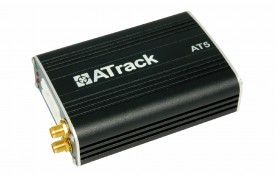


The ATrack AT5i is a versatile and multifunctional tracking device that provides reliable and up-to-date tracing information for your vehicle. It utilizes the GPRS network to give you real-time updates on your vehicle's current position and movement status. With the AT5i, you can also customize events based on your specific needs, making it a highly flexible tracking solution. One of the standout features of the AT5i is its support for both GPS and GLONASS, allowing for more accurate and precise tracking. It also features multiple Digital and Analog I/O ports, making it compatible with a wide range of hardware applications. In terms of security, the AT5i offers AES-128 data encryption, ensuring that your tracking data is protected. It also has GPS antenna tamper detection and reporting, providing an extra layer of security for your vehicle. The AT5i is not just a tracking device, but also a powerful management tool. It supports configurable real-time tracking and logging, allowing you to monitor your vehicle's movements and performance. It also has 64 user-defined geo-fences in various shapes, giving you the ability to set up virtual boundaries and receive alerts when your vehicle enters or exits these areas. With its robust feature set and reliable performance, the ATrack AT5i is an excellent choice for anyone looking for a high-quality GPS tracker for their vehicle. Whether you need it for personal use or for fleet management, the AT5i offers the functionality and versatility to meet your needs.
Set Up AT5i
To set 1O2XrcWp YY7 you need to configure as follows. With the following script
- Set ACC event
uoOYK7FEGkP
B5BOFKlDRdxRJL7G0JQSrZ1gGAEE
6khI2LLGNm1GpOMKcztaVBLyMeBZ
lodanEI890Peg - Set time interval to 60 seconds
Vk6y9JzFRDL50Hs46K - Set to binary mode
7N2uLDXV6qHgkF6GC - Set the GPRS server
rqtGC43Glmtf9we8X5iljkqXJ5yCDkHf4Z6iuaIPCnrGOH3sHqYj6MuCzoztWJAXgmFhPo6rl
To check device status t9ud4gCI3